

D
Datrivo
❤️ We're here for you

We'll get your
memories back.

You relax. We do the rest.

Photos, videos, files — accidentally deleted or lost? Datrivo searches your SD card, USB drives and cameras and brings them back safely. Free, without the tech jargon.

🔒 Privacy comes first — your data stays on your device.

Trivo, the Datrivo mascot, flies through pastel clouds holding an SD card, bringing back rescued photos
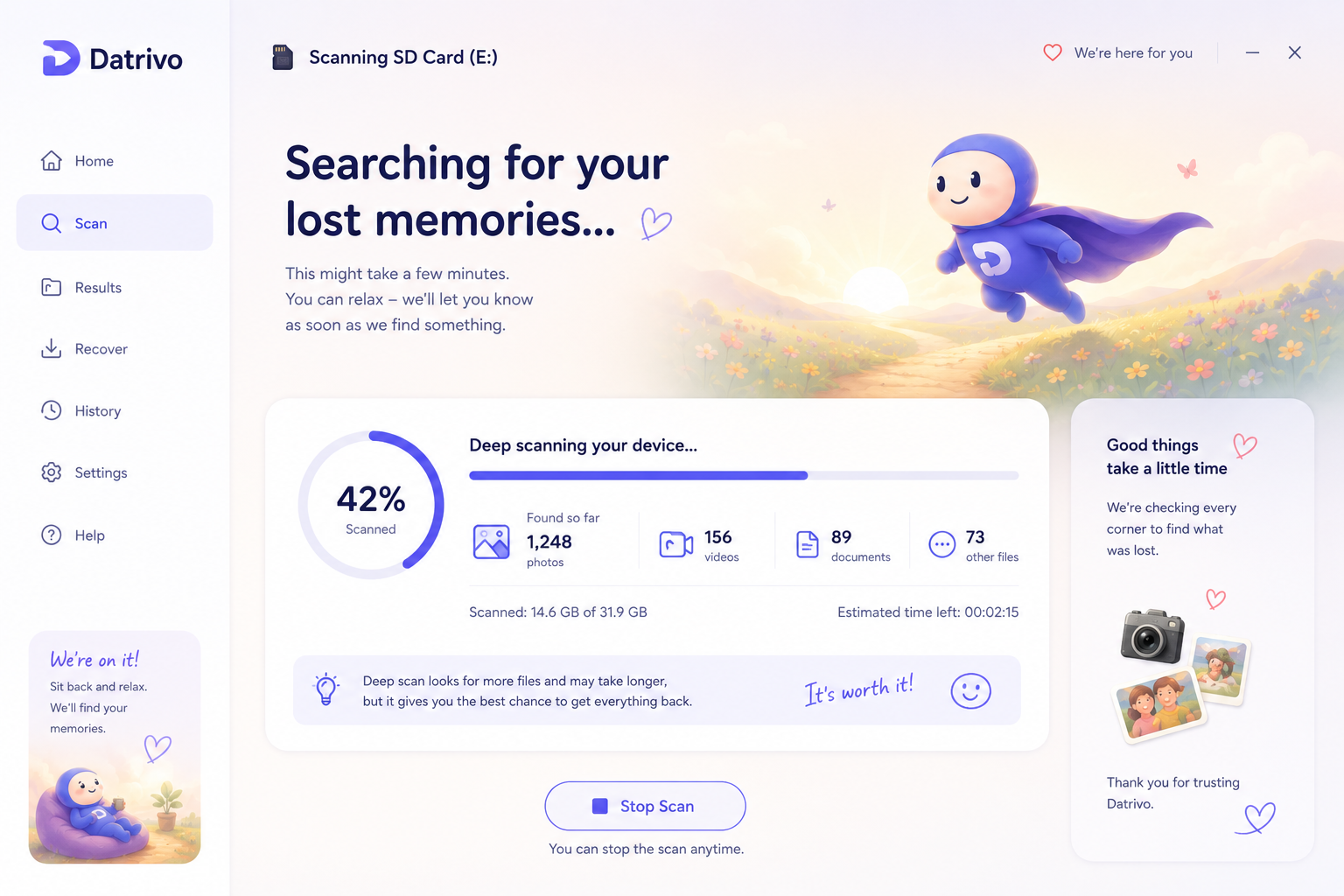
Datrivo scanning an SD card, searching for lost memories
Why Datrivo exists

One bedtime, one wrong button, every vacation photo gone.

A week after our family vacation, our daughter took her kids' camera to bed to look through our holiday photos one more time before falling asleep.

While flicking through the pictures, she accidentally triggered the delete-all function — it's just one button press away from the photo viewer — and confirmed the warning with the wrong key. Seconds later, every picture was gone.

She ran to her mother in tears: "There are no more pictures on the camera!"

That same night, I sat down to try to get them back. Every program I found advertised itself as "free" — but wanted an annual subscription worth several hundred euros before it would actually recover anything. After a long search, I found one that recovered a limited amount of data for free. It was just barely enough.

Ever since, I've wanted to spare other parents this: spending a small fortune on what is hopefully a one-time problem. This isn't about professional forensics — it's about getting deleted photos back from an SD card or USB stick after a small mistake.

How it works

Four steps back to your memories

1

Choose your device

Connect and select an SD card, USB drive or camera. Datrivo only reads — it never changes anything.

2

Scan thoroughly

We search every corner of the storage for photos, videos and files that seemed lost.

3

Preview & select

See exactly what was found before you decide what should come back.

4

Recover safely

One click, and your memories are back where they belong.

The app

Designed to feel friendly, not technical

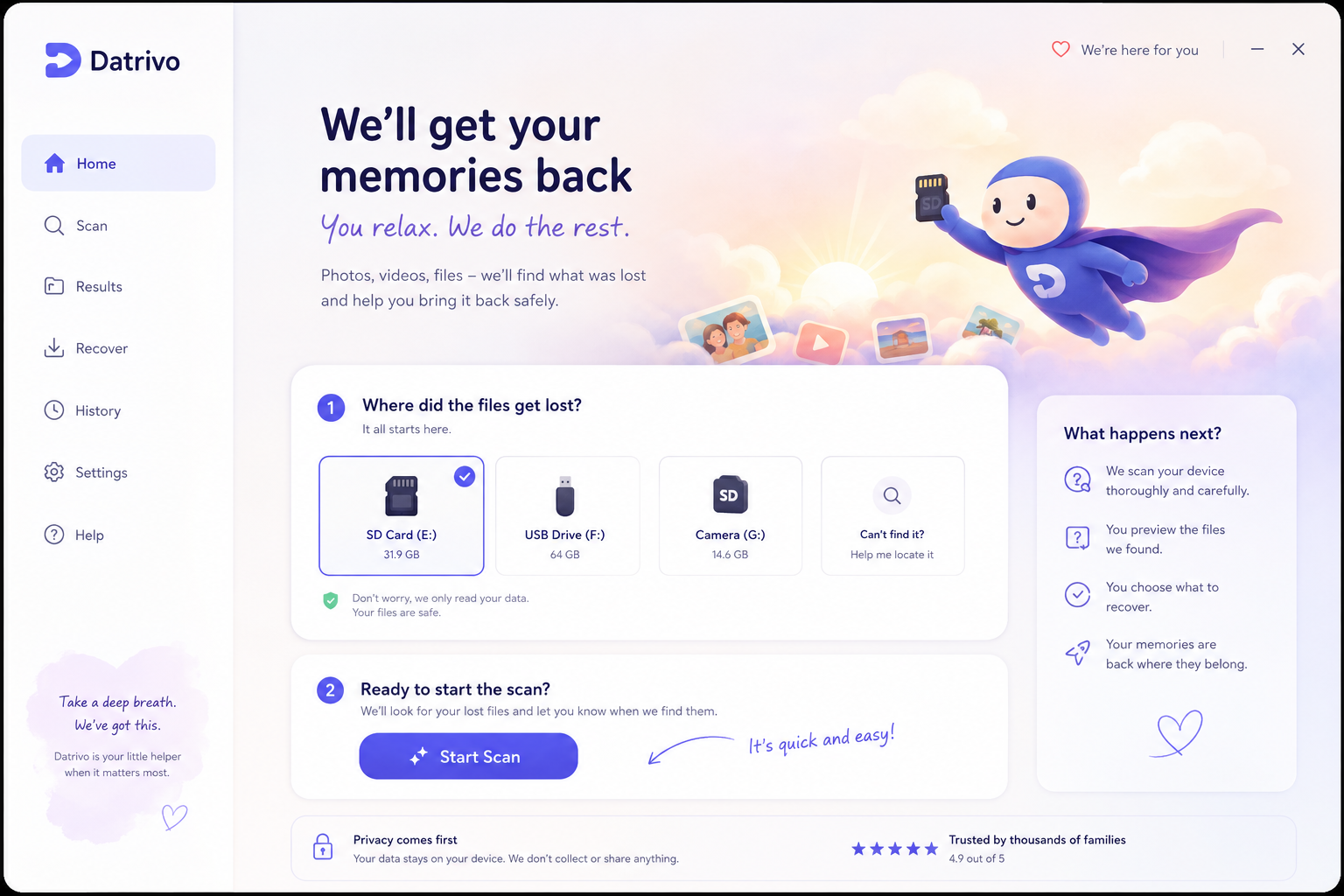
Datrivo home screen: choose a device and start a scan
A clear first step: choose a device, start the scan.
Datrivo scan screen showing progress and found files
Live progress instead of uncertainty — you always see what's been found.
Privacy comes first

Trust isn't a feature — it's the foundation

Read-only access

Datrivo never modifies your storage device. Scanning is strictly read-only — your original data stays untouched.

macOS & Windows

A native desktop app for macOS and Windows. No cloud upload, no third-party software required.

exFAT & FAT32

Reconstructs original filenames and paths on exFAT and FAT32 media — typical for SD cards and cameras.

Your data stays yours

Everything happens locally on your device. We don't collect, store or share your files.

Supported file formats

JPEGPNGHEICGIFWebPTIFFPDFMP3WAVAVIMP4MOVMKV
Questions & answers

Frequently asked questions

Is Datrivo really free?

Yes. The core scan and recovery are free — that's exactly what I wished existed when I needed it myself.

Does scanning change my memory card?

No. Datrivo only reads your card or drive — nothing is ever written or overwritten.

Which devices are supported?

SD cards, USB drives, cameras and other external storage with an exFAT or FAT32 file system.

Are my files uploaded anywhere?

No. The entire scan and recovery process runs locally on your Mac or PC.

What if Datrivo doesn't find anything?

We'll tell you honestly — and give you pointers on what to try next, instead of leaving you alone with an error message.

Ready to get your memories back?

Download Datrivo for free and find out in minutes what can still be saved.

macOS — coming soonWindows — coming soon

Free · No sign-up · Your data stays local